


ViviPic: Smart Video Generator
3.72.00 Reviews
App Specs
- Version
- 1.0.6
- Updated On
- License
- Free
- Downloads
- 10,000+
- Developer
- Makingit Team
- Categories
- Art & Design
- Platform
- Android
Screenshots
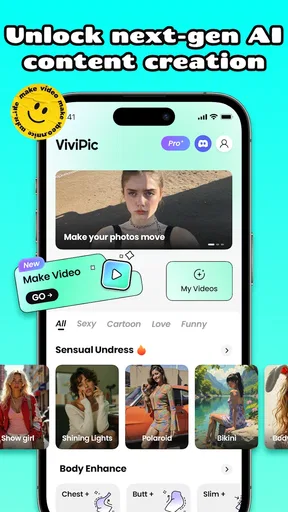
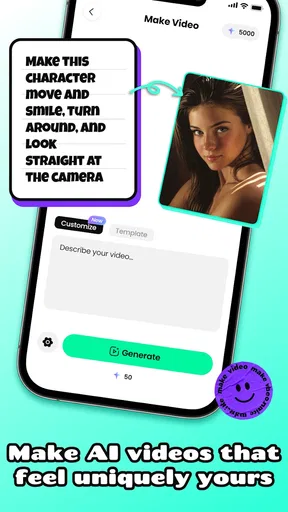
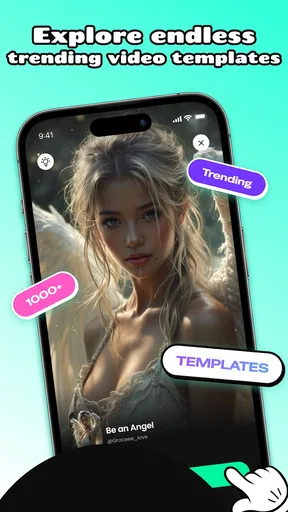
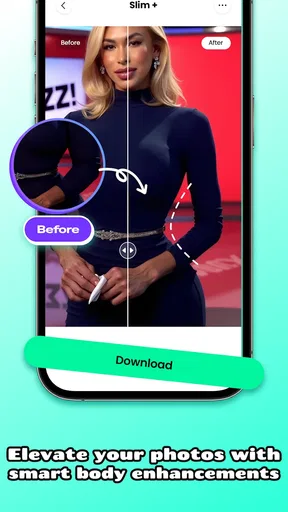
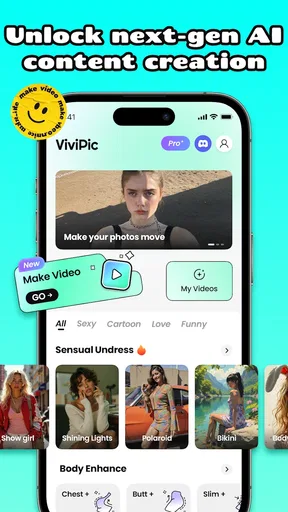
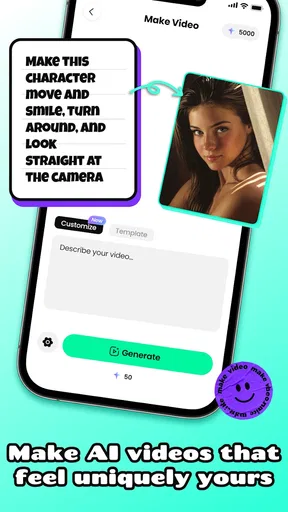
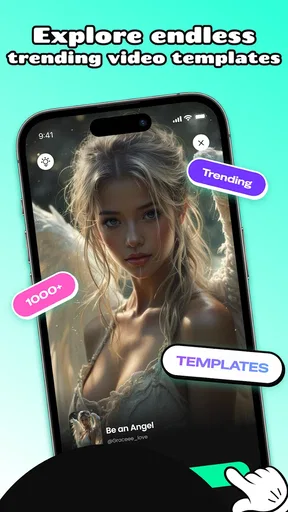
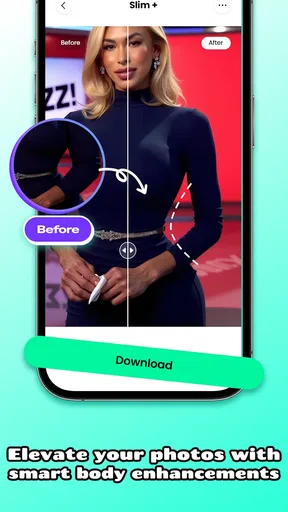
 Analysis by AppCompare
I’d start with a small, ordinary project rather than expecting a phone app to turn every photo into a finished film. ViviPic: Smart Video Generator is an art-and-design app from Makingit Team, and its appeal is the idea of getting from visual material to a shareable video without first learning a desktop editor. In my view, that makes it most promising for casual creators: someone putting together a quick post, a personal recap, or a simple visual greeting. It is free to install, rated for Everyone, and has a 3.4 average from 172 ratings, so I’d approach it with curiosity rather than assuming it will suit every workflow.
Begin with a clear purpose
Before opening an editor, I find it helps to decide where the finished video is going and what it needs to do. A short social post, for example, has a different job from a family recap that people may watch on a television. With a photo-to-video tool such as ViviPic, a useful starting point is choosing a handful of images that already tell a simple story: a beginning, a detail or two, and a clear ending. That small bit of preparation can matter more than adding lots of effects later.
The app’s store summary points to turning photos into video, but I wouldn’t treat that as a promise that every image set will automatically make a compelling sequence. Photos with different lighting, unrelated subjects, or no obvious order can make a montage feel scattered. I’d sort the pictures first and remove near-duplicates. This is a practical way to give any suggested edits a stronger starting point, and it saves time spent trying to rescue a collection that has no visual thread.
Moving from photos to an edit
The published description of the experience presents a guided, approachable editing flow, and the original review praised the uncluttered layout. That kind of interface is useful when I want to make something quickly on a phone, rather than hunt through a dense timeline full of controls. The app is aimed at making the first steps feel manageable, which is a real advantage for someone who has never edited video and simply wants to see what a set of pictures can become.
For a first attempt, I’d keep the choices restrained: choose images that belong together, make sure the sequence has a reason, and then use text or music only if they add context. A caption can explain where a set of pictures was taken; a soundtrack can give a recap a more deliberate mood. If either element distracts from the images, it is probably doing more than the video needs. The best quick edit is often the one where the viewer understands the point without being asked to notice every effect.
The original review describes trimming clips, adding transitions, layering music, placing text, and applying filters. Those options suggest room to shape more than a basic slideshow, but they also create a trade-off: each extra choice takes time and can make a simple piece feel overworked. I’d make the basic sequence work before decorating it. That gives me a reference point when I try a filter or transition, so I can tell whether it improves the video or merely makes the edit busier.
Where automated suggestions fit
ViviPic is described as using AI to analyze a video and suggest edits. I’d treat that as a starting point, not a substitute for taste. Suggestions can help when I’m unsure how to polish an edit, but the strongest result still depends on whether the chosen pictures belong together and whether the timing suits the purpose. If the app proposes a treatment that makes a personal moment feel too dramatic or a product image look unlike the real item, I’d change course rather than accept it just because it was recommended.
Worth Reading Before You Choose

Baby Panda World Brings Quick Play to Modern Phones, but Its Game Library Feels Busy

ESPN’s Live Game View Makes Following Close Games Easier

QuizzLand Review: A Good Fit for Short Trivia Breaks, Not Every Player

Basketball Stars: Multiplayer Is Fast, but Can It Recover When Matches Go Wrong?

WEBTOON Turns Phone Updates Into a Better Reading Routine

Link to Windows Runs on Shared Habits, Not Social Feeds
A useful habit is to compare the suggestion with a plain version of the same project. If an effect makes the subject clearer or helps images feel connected, it earns its place. If it hides a face, changes the mood, or competes with a caption, the simpler cut is probably better. This is especially important for anything practical, such as a small business post where customers need to see what is actually being offered. Automated editing can save decision-making, but it cannot know which details matter to the people who will watch.
From finished edit to the next app
Once the edit is ready, the next stage is the handoff: getting the video out of the editor and into the place where people will see it. The original review describes sharing options and export formats intended for different platforms. I’d still check the result before posting, because a video that looks balanced in an editing preview can feel different in a social feed. Watch it through once, pay attention to the opening and ending, and make sure any text is readable on a phone screen.
For an everyday example, imagine I take a few pictures from a weekend market and want to share a short recap with friends. I would select images that show the atmosphere as well as one or two details, put them in a simple order, and use a brief caption only if the location or occasion needs explaining. After export, I would view the file outside the editor before sending it. That last check catches a common handoff problem: the edit may feel finished while I’m working on it, but the actual shared video still needs to make sense without the editing screen around it.
If your usual alternative is a general-purpose video editor, ViviPic’s described emphasis on photo-based creation and suggested edits may feel more direct for a quick montage. A full editor is the better choice when you need fine control over timing, layered footage, or a carefully planned sequence. A phone’s built-in photo tools can be enough for a very basic recap, while a social platform’s own editor may be more convenient when the video is meant only for that platform. I’d choose based on the handoff: the fewer steps between the finished piece and its audience, the less reason there is to add another tool.
Where the workflow can snag
Ease of use does not remove the need to make choices, and that is where a quick project can slow down. A large pile of photos is not automatically a good video; deciding what to leave out is often the real editing work. Effects can also pull attention away from the images, and any automated suggestion needs a human check. These are not unusual problems for creative apps, but they matter here because the main appeal is speed. If you spend more time correcting a result than you would have spent arranging a simple sequence yourself, the shortcut has stopped being a shortcut.
There is also a practical distinction between a casual post and work that needs precision. For a relaxed recap, a little variation in pacing or styling may be fine. For an instructional clip, a portfolio piece, or a client deliverable, I would want more direct control and a careful review of every cut, caption, and export. In those situations, a more capable editor is a safer fit. ViviPic makes the most sense when convenience is part of the goal, not when the project depends on detailed technical control.
Who should try it, and who may prefer another tool
I’d recommend giving ViviPic a look if you want to turn a modest set of photos into something more engaging than a plain gallery, and you’re happy to make a few creative decisions along the way. It may suit a first-time editor, a casual creator preparing a quick post, or someone making a personal recap on a phone. The app is free to install, while in-app purchases range from $7.99 to $59.99 per item, so I’d explore the basic experience first and consider any paid option only if it solves a specific need for you.
I would skip it if your priority is exact control over every frame, advanced audio work, or a repeatable professional process. I’d also avoid choosing any photo-to-video app as a shortcut around planning: it can help assemble and style material, but it cannot make unrelated photos tell a coherent story by itself. For those needs, a conventional timeline editor gives a clearer path to precision; if you only need a quick sequence for one social app, editing there may involve fewer handoffs.
The current version is 1.0.2, and it runs on Android 6.0 or later. With 10K+ installs, it has reached a modest but real audience, though the 3.4 average rating is a reminder that ease of use will not guarantee a great fit for everyone. I’d use those details as context, not as a substitute for trying a small project: make one short edit with pictures you already know well, then judge whether the workflow feels natural and the result is worth the extra step.
Have you ever wanted to make your videos pop with just a few taps? Well, let me introduce you to ViviPic: Smart Video Generator. I’ve been playing around with this app for a while, and I must say, it’s become my go-to tool for all things video editing on my phone. Let’s dive into what makes this app a must-have for anyone looking to up their video game.
What’s the Buzz About ViviPic?
First off, ViviPic is all about making video editing as easy and fun as possible. If you’re like me and get a bit overwhelmed with complex software, you’re in for a treat. This app is packed with cool features that are super intuitive and perfect for both beginners and seasoned video creators.
Easy-Peasy Interface
The first thing that caught my eye was the user-friendly interface. Navigating through the app is a breeze. You’re greeted with a clean layout that doesn’t bombard you with a million options right from the start. Instead, you get a simple menu that guides you through the editing process step-by-step. It’s like having a handy little guide with you all the time.
Feature-Rich Experience
Now, let’s talk about the features. Whether you’re trimming clips or adding transitions, ViviPic’s got you covered. You can layer music, slap on some text, and even apply filters to give your video that extra oomph. The effects library is pretty extensive, so you’re bound to find something that fits your style.
"The magic really happens when you dive into the effects—trust me, it’s like adding sprinkles to a cupcake!"
AI-Powered Editing
One of the coolest things about ViviPic is its AI-powered editing. The app can analyze your video and suggest edits that enhance the overall look and feel. It’s like having a mini video editor in your pocket that knows exactly what you need. This makes the editing process not just quicker, but also smarter.
Sharing Made Simple
Once you’re done crafting your masterpiece, sharing it is a no-brainer. The app allows you to export your videos in various formats suitable for different platforms. Whether you’re posting on Instagram, TikTok, or YouTube, ViviPic makes sure your video looks top-notch.
- Quick sharing options for social media
- Multiple export formats available
- High-quality output
Why You’ll Love It
So, why should you give ViviPic a shot? Well, if you’re someone who loves creating content but doesn’t want to get bogged down by technical details, this app is perfect for you. It’s all about making video editing accessible and fun, without compromising on quality.
Plus, the app is constantly updated with new features and improvements. The developers seem to really listen to their community, which is always a good sign. You can tell they’re passionate about making ViviPic the best it can be.
Final Thoughts
In a world where content is king, having a tool like ViviPic can be a game changer. It’s versatile, easy to use, and packed with features that will make your videos stand out. Whether you’re a casual creator or a budding influencer, this app is definitely worth checking out.
In the end, what really matters is that you have fun while creating—and ViviPic makes sure of that. So, go ahead and give it a try. Who knows, you might discover a whole new passion for video editing!
Pros
- User-friendly interface and easy navigation.
- Wide variety of video templates available.
- High-quality video exports with no watermark.
- Fast rendering speeds for quick edits.
- Regular updates with new features.
Cons
- Limited customization for advanced users.
- Some features require in-app purchases.
- Occasional ads can be intrusive.
- No offline editing mode available.
- Limited music library for background tracks.
FAQs for ViviPic: Smart Video Generator
What features does ViviPic: Smart Video Generator offer?
ViviPic: Smart Video Generator provides a range of features designed to simplify video creation. Users can enjoy AI-driven video editing, customizable templates, and a variety of filters and effects. Additionally, it supports multi-layer editing, allowing for more complex video compositions, and offers direct sharing options to social media platforms.
Is ViviPic suitable for beginners in video editing?
Yes, ViviPic is designed with beginners in mind, featuring an intuitive interface and easy-to-use tools. The app offers guided tutorials and helpful prompts to assist new users in navigating the editing process. Its AI-driven functions also aid in automating tasks, making video creation accessible to all skill levels.
What are the system requirements for installing ViviPic?
To install ViviPic: Smart Video Generator, users need an Android device running version 5.0 or higher, or an iOS device with iOS 11.0 or later. Ensure your device has sufficient storage space, as video editing apps typically require additional resources for optimal performance.
Does ViviPic offer any in-app purchases or subscriptions?
Yes, while ViviPic offers a range of free features, there are in-app purchases available for advanced tools and premium content. Users can subscribe to access additional filters, effects, and templates, enhancing their video editing experience. Subscription options typically come with a free trial period for new users.
How does ViviPic ensure the privacy and security of my videos?
ViviPic prioritizes user privacy and security by implementing robust data protection measures. The app does not store personal videos on external servers unless explicitly shared by the user. Additionally, users have full control over their content, and data transmissions are encrypted to prevent unauthorized access.


